How to Start a Career in Streaming Technology in Canada
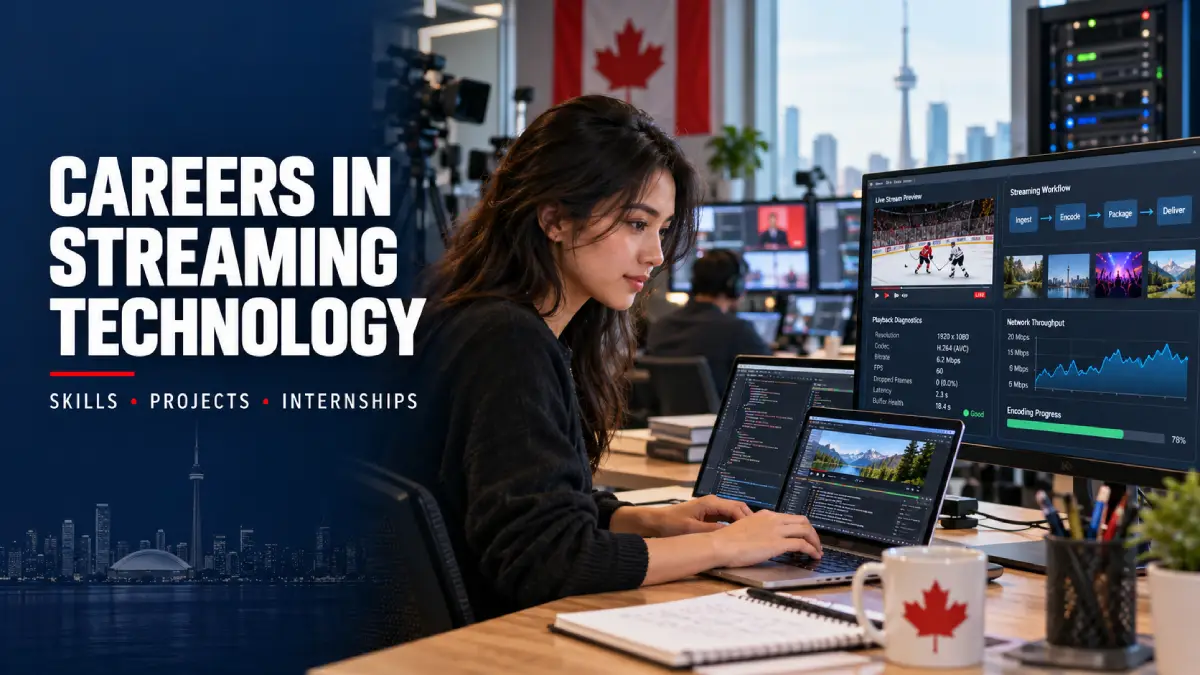
A live hockey game works perfectly on your laptop, but the same broadcast keeps freezing on your smart TV. Your internet connection seems fine. Other videos play without any trouble.
So what’s going wrong?
A software developer might investigate the video player. A network technician could check how the content is being delivered. A quality assurance (QA) tester would try to reproduce the problem, while a support specialist works through possible causes with the customer.
That’s four different jobs connected to one streaming issue.
For Canadian students considering a career in streaming technology, understanding these roles is a useful starting point. The field brings together software development, broadcasting, networking, video processing and technical support.
You don’t need to master every part of the industry. You need to identify the kind of work that interests you, learn the relevant skills and find opportunities to put them into practice.
What Jobs Are Available in Streaming Technology?
Searching for streaming technology jobs in Canada can be frustrating because employers rarely use one standard job title.
A television broadcaster needs technicians to monitor its signals. A company developing streaming applications hires programmers and testers. Telecommunications providers need people who understand networking, while digital media businesses rely on staff who manage video files and publishing systems.
These are some of the career paths worth exploring.
| Role | What the work involves | Skills to develop |
|---|---|---|
| Broadcast Technician | Operating equipment, monitoring signals and resolving broadcast problems | Electronics, video systems, signal monitoring |
| Software Developer | Building streaming applications, video players and platform features | JavaScript, APIs, programming |
| Video QA Tester | Testing playback, captions, device compatibility and application features | Test planning, debugging, bug reporting |
| Network Operations Technician | Investigating connectivity and video delivery problems | TCP/IP, DNS, HTTP, networking |
| Media Operations Assistant | Preparing video assets, checking metadata and managing publishing workflows | Video formats, content management, documentation |
| Technical Support Specialist | Helping users resolve setup, login, playback and device problems | Troubleshooting, communication, technical documentation |
These positions don’t all require the same qualifications.
For example, Canada’s Job Bank classifies broadcast technicians under NOC 52112. Their responsibilities include operating broadcasting equipment and supporting audio and video transmissions over the internet.
Software development positions may require stronger programming skills, while some operations and support roles place greater emphasis on technical troubleshooting.
Before enrolling in a course or certification program, read several Canadian job descriptions for the role you want. Look for skills that appear repeatedly rather than relying on a general list of technologies.
Learn How Video Streaming Actually Works
Consider what happens when someone presses play on a live stream.
The video begins at a camera or production system. It is encoded to reduce the amount of data required for delivery. Depending on the service, different versions of the video may be prepared so viewers can watch at different resolutions and connection speeds.
The video travels through network infrastructure before reaching the application on the viewer’s device.
If something goes wrong along that path, the viewer might experience buffering, poor picture quality or playback failure.
A few technologies are particularly worth understanding.
HLS and MPEG-DASH
HTTP Live Streaming (HLS) and MPEG-DASH are commonly used for adaptive video streaming.
Instead of delivering one large video file at a fixed quality, adaptive streaming systems divide media into smaller segments and make different quality versions available.
A compatible video player can request the appropriate segments based on network conditions.
That is why the picture might briefly become less sharp when your connection slows down instead of the video stopping completely.
Content Delivery Networks
A content delivery network, or CDN, helps distribute content across multiple servers and geographic locations.
Rather than forcing every viewer to retrieve the same video from a single origin server, content can be served through suitable network locations closer to users.
CDNs are relevant to infrastructure and network operations roles because video delivery depends on more than the viewer’s internet connection.
Video Codecs and Device Compatibility
A codec is used to encode and decode audio or video.
H.264 and H.265 are examples of video compression standards you may encounter.
Device compatibility matters because different televisions, browsers and applications don’t necessarily support every combination of codec, container and streaming format.
A video playing on one device but failing on another is a useful troubleshooting scenario.
You should also know the difference between IPTV and over-the-top (OTT) streaming. IPTV refers to television delivered using Internet Protocol, including managed television networks, while OTT services generally deliver content over the public internet. Consumer marketing sometimes uses these terms less precisely.
These concepts are easier to understand once you’ve tested a video player yourself.
Build a Portfolio Project Before Applying
You don’t need an expensive home studio or a complicated application to demonstrate relevant skills.
A finished project that works properly, includes testing and explains your decisions is a useful way to show what you’ve learned.
Choose a project based on the work you want to do.
Project 1: Create a Browser-Based Video Player
This is suitable for students interested in software development.
Start with the HTML5 video element and a video file you own or have permission to use.
Add a few features using JavaScript:
- Play, pause and volume controls
- Playback speed selection
- Captions or subtitles
- A small video playlist
- A responsive layout for mobile devices
Once the basic features work, test them in different browsers.
Check what happens when you resize the window, enter full-screen mode or load an unsupported file.
If you want to take the project further, explore HLS playback with a suitable JavaScript library and authorized sample content.
Put the source code in a repository and write a short README explaining what you built, how to run it and any limitations you discovered.
Project 2: Test a Video Application
If QA interests you, choose an open-source player or another application you’re permitted to test.
Create test cases for actions such as starting playback, seeking to a different position, enabling captions and switching to full-screen mode.
Check how the player behaves under different network conditions.
Document what you observe rather than assuming every unexpected behaviour is a software bug.
A useful bug report contains the environment, reproduction steps, expected result and actual result.
For example:
Test scenario: Resume playback after exiting full-screen mode.
Expected result: The video resumes when the play button is pressed.
Actual result: Record the behaviour observed during your test.
Evidence: Attach a screenshot, recording or relevant error message if a reproducible problem occurs.
Employers can review this material to understand how you approach testing, even if the application itself wasn’t developed by you.
Project 3: Write a Streaming Troubleshooting Guide
Technical support and network operations candidates can demonstrate their abilities through a structured troubleshooting project.
Start with a common problem: a video buffers repeatedly or plays on one device but not another.
Build a decision tree showing which checks you would perform.
For example, determine whether other videos work, whether the same content plays on another device, and whether the problem affects one application or several.
Consumer-facing resources such as IPTV Primer provide French-language information about IPTV setup, compatible devices and playback-related questions for viewers in Québec and Canada. These are useful examples of the type of information technical support teams need to communicate clearly.
For your own guide, use authorized test content and explain how you would narrow down possible causes before escalating a problem.
The finished document could include a troubleshooting checklist, a simple flowchart and examples of clear customer-facing instructions.
Where to Find Streaming Technology Internships in Canada
The phrase “streaming technology internships Canada” is useful for searching, but it won’t uncover every relevant position.
A company might advertise a network engineering co-op, a media operations placement or a software QA internship without mentioning streaming anywhere in the title.
Try searching for roles such as broadcast operations intern, software developer co-op, video QA tester, network operations student and digital media technology assistant.
Look beyond companies that operate consumer streaming platforms.
Canadian Employers Worth Researching
Bell Canada
Bell’s student internship program includes areas such as software development, engineering, cybersecurity, technical product management and data analytics.
Its 2026–2027 recruitment cycle opened on September 14, 2026.
Students should distinguish between actual vacancies and the company’s “Future Opportunities” postings. A Future Opportunities listing allows someone to express interest; it does not represent an active job opening.
Rogers Communications
Rogers operates across telecommunications and media, making its technology and Sports & Media career areas worth exploring.
Check the responsibilities in each posting rather than assuming every technology position involves video delivery.
CBC/Radio-Canada
CBC/Radio-Canada operates broadcasting and digital media services and maintains an official careers portal.
Students interested in broadcast technology, production operations and digital systems can research relevant positions there.
These employers are examples of where to look, not a guarantee that a suitable internship is currently available.
Your college or university co-op office is another important resource. Some student placements are advertised through institutional career portals, and eligibility may depend on enrollment in a recognized program.
Smaller production studios, broadcast equipment providers and software companies may also offer useful technical experience.
How to Read an Internship Posting
Don’t stop at the job title.
Look closely at the responsibilities.
If a posting mentions writing test cases, tracking defects and reproducing application issues, you’re probably looking at a QA-related position.
If it requires JavaScript, APIs, application development and debugging, it’s closer to software engineering.
Network monitoring, routing, cloud services and connectivity troubleshooting suggest an infrastructure-oriented role.
Next, check the eligibility requirements.
Some internships require current enrollment in a diploma or degree program. Others are restricted to students participating in formal co-op placements.
Recent graduates may need to look at junior or graduate programs instead.
Also review the location, employment dates, application deadline and required documents before applying.
For example, Bell’s internship application process may require a resume and academic transcript, with additional interviews or assessments depending on the program.
Write a Resume That Shows Actual Technical Work
A list of software tools doesn’t tell a recruiter much about your abilities.
Instead of filling a resume with terms such as “HTML, JavaScript, networking, video streaming,” explain where you’ve used those skills.
A student who built a browser-based player could write:
Developed a responsive HTML5 video player with playback controls and caption support; tested functionality across desktop and mobile browsers.
For a QA project:
Prepared and executed video playback test cases covering seeking, subtitles, full-screen functionality and network interruptions.
Only include descriptions that accurately reflect your work.
You can also mention relevant coursework, campus broadcasting, student media activities, technical volunteering or experience supporting live events.
Be specific about your responsibilities.
Setting up a camera, monitoring an audio feed and troubleshooting a streaming connection are all different tasks. Explain which ones you performed and what equipment or software you used.
You should be able to discuss every project on your resume during an interview.
Do You Need a Degree or Certification?
There isn’t one qualification that covers every streaming technology career.
Software development roles may favour computer science or related education.
Broadcast technician positions may require training in broadcasting, electronics or a similar technical field.
Some technical support and operations positions place considerable weight on practical experience.
Certifications can be useful when they address skills employers are asking for. Networking qualifications, for instance, may be relevant to infrastructure roles.
But don’t spend money on a course simply because it has “streaming technology” in the title.
Compare the course topics against actual job requirements first.
If you’re aiming for a QA position, learning test planning and bug reporting might be more immediately useful than studying advanced video compression algorithms.
Your training should reflect the responsibilities of the job you’re trying to enter.
International Students: Co-op and Internship Rules in Canada
International students need to check their work eligibility before accepting an internship.
An important change took effect on April 1, 2026.
Eligible post-secondary international students no longer need a separate co-op work permit for student work placements required by their academic program.
However, specific conditions still apply.
Students generally need a valid study permit, or to have applied for an extension before it expired, and must meet the applicable study and work authorization requirements.
They must be studying full-time in an eligible post-secondary program at a designated learning institution (DLI). Their institution must confirm that the placement is required for the program, and the placement cannot account for more than 50% of the total study program.
The study permit must also contain the required work authorization conditions.
Eligible student work placements do not have a separate weekly working-hour limit.
This differs from ordinary off-campus employment, which is generally limited to 24 hours per week during regular academic sessions for students who meet the relevant requirements.
Secondary school students have different co-op permit rules.
Students should review the current guidance on the official Immigration, Refugees and Citizenship Canada (IRCC) website and confirm eligibility with their institution before beginning work.
A position being advertised as an internship does not automatically mean it qualifies as a required academic work placement.
What to Do During Your First Month
Rather than signing up for several courses at once, choose one direction.
During the first week, collect ten to fifteen Canadian job descriptions related to that role. Record the technical requirements that appear repeatedly.
Use the second week to learn the fundamentals behind those requirements.
During the third week, complete one small project. It might be a video player, a playback testing report or a troubleshooting guide.
In the final week, document the project, update your resume and start reviewing suitable internships or junior positions.
Keep a record of your applications, including deadlines, eligibility requirements and any responses you receive.
When you find a gap between your skills and what employers are requesting, use that information to guide your next project.
Frequently Asked Questions
Can I start a career in streaming technology without previous experience?
Some internships and junior positions are designed for candidates with limited professional experience. Relevant coursework, personal projects, campus media work and technical volunteering may help demonstrate your abilities. Requirements vary by employer.
Is programming required for streaming technology jobs?
Not for every position. Software development roles generally require programming, while broadcast operations, technical support and certain media operations jobs involve different skills. Basic scripting knowledge can still be useful.
Can computer networking students work in video streaming?
Yes. Networking knowledge is relevant to content delivery networks, infrastructure monitoring, connectivity troubleshooting and video delivery performance. Students should look for roles that match their networking experience.
Are streaming technology internships and digital media internships the same?
They can overlap, but the responsibilities may be different. Digital media includes production, editing, publishing and content management. Streaming technology roles tend to focus more on the software, systems and infrastructure involved in delivering video.
Does every Canadian internship require enrollment in a co-op program?
No. Some employers offer internships outside formal co-op arrangements. Others specifically require enrollment in an approved academic program. Read the individual posting and verify the employer’s eligibility requirements.
Choosing Your Next Step
If you already have programming experience, building and testing a small video player is a reasonable place to begin.
If you prefer networking, concentrate on video delivery and troubleshooting. Students interested in broadcasting can look at equipment operation, signal monitoring and media production workflows.
The next step is to compare those interests against real positions advertised in Canada.
A completed project and a clear understanding of the job will give you something specific to discuss with employers, whether you’re applying for a student placement or your first junior technical role.